Ten seconds is long enough to check Slack. That is the real cost of a slow generation: not the wait itself, but the idea you were holding when it started.
Recraft V4.1 Flash is the fastest model on the market at 1.3 seconds from prompt to image. Speed changes the shape of the work. When an image lands about as fast as the next idea arrives, your focus does not break and the session keeps its momentum.
And at a fraction of the cost of V4.1, a long session of variations stays super affordable. Plus, it keeps the Recraft look across photography, portraits, mood and atmosphere, complex scenes, and early concepts, so moving fast doesn't mean settling for less.
We ran Flash against other fast models on the kind of briefs designers actually send. Notes below are from our creative director.
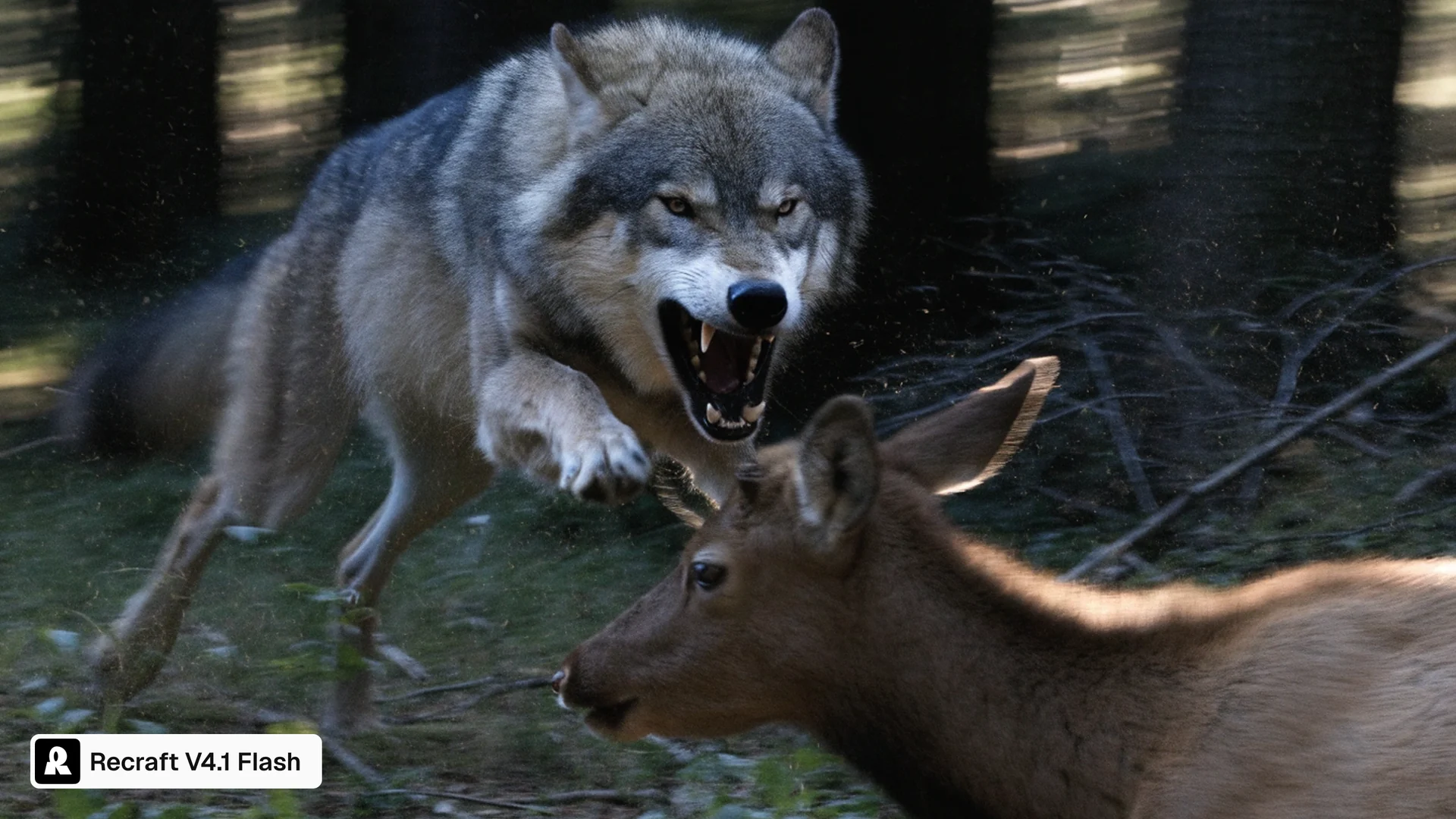
Recraft V4.1 Flash
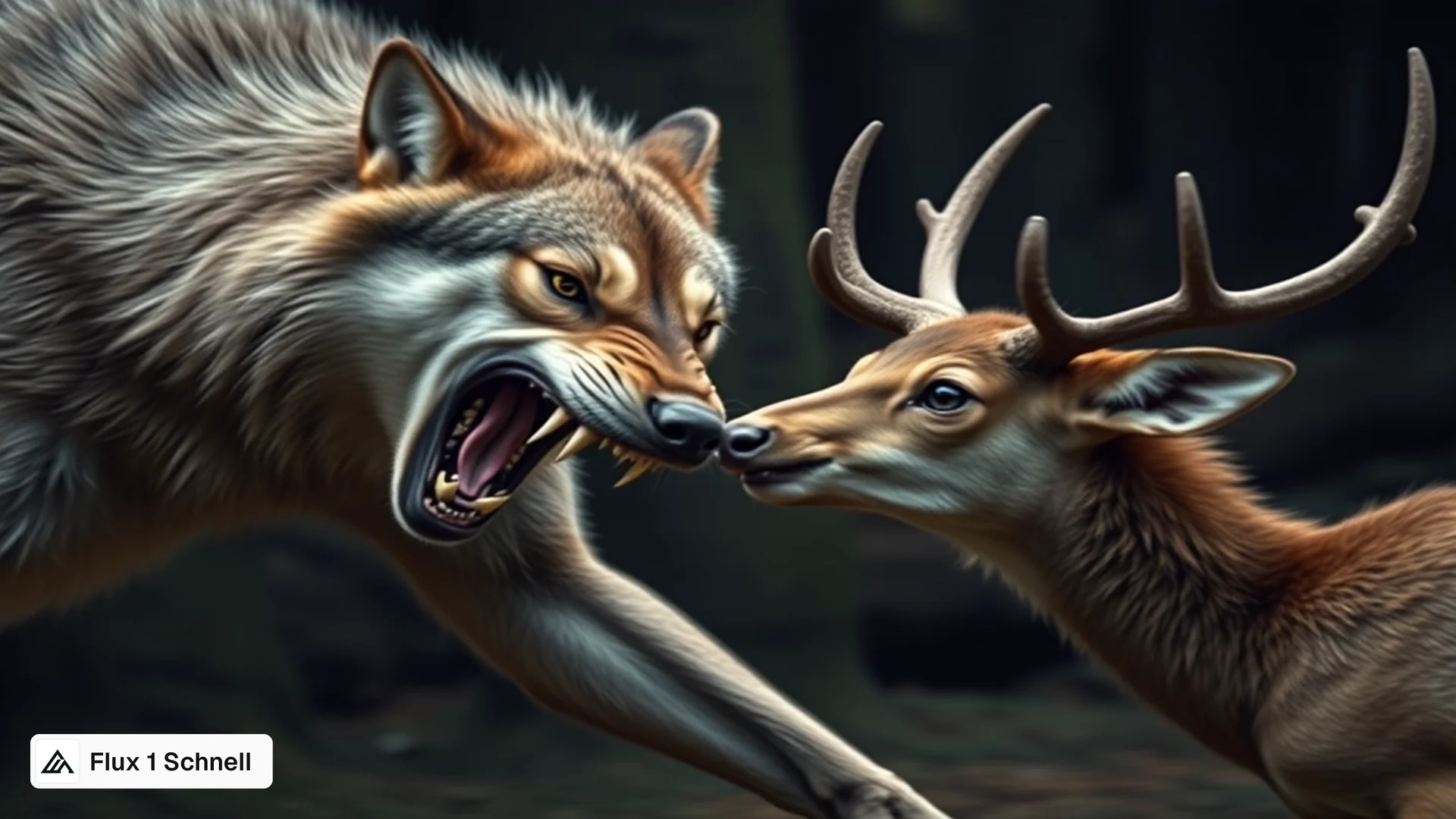
Flux 1 Schnell
PROMPT
A ferocious wolf growling, mid-lunge toward the young elk. Muscles coiled, fangs bared, and fierce expression in its gaze. Background shows a shadowy woodland, motion blur to convey velocity, high-detail realism.
Flux 1 Schnell swaps the high-detail realism for a painted fantasy look, and the lunge collapses into a nose-to-nose standoff. The young elk also arrives with a full set of antlers.
Flash caught the wolf mid-lunge, fangs bared, with motion blur through the trees and a calf that actually reads as young.
Recraft V4.1 Flash
Grok Imagine Image
PROMPT
7 carrots
Grok Imagine styles the shot nicely, loose greens across stone. It just does not count at all. The prompt called for seven carrots exactly, and Grok didn't read that through.
Flash generated exactly seven carrots, which is the whole brief.
Recraft V4.1 Flash
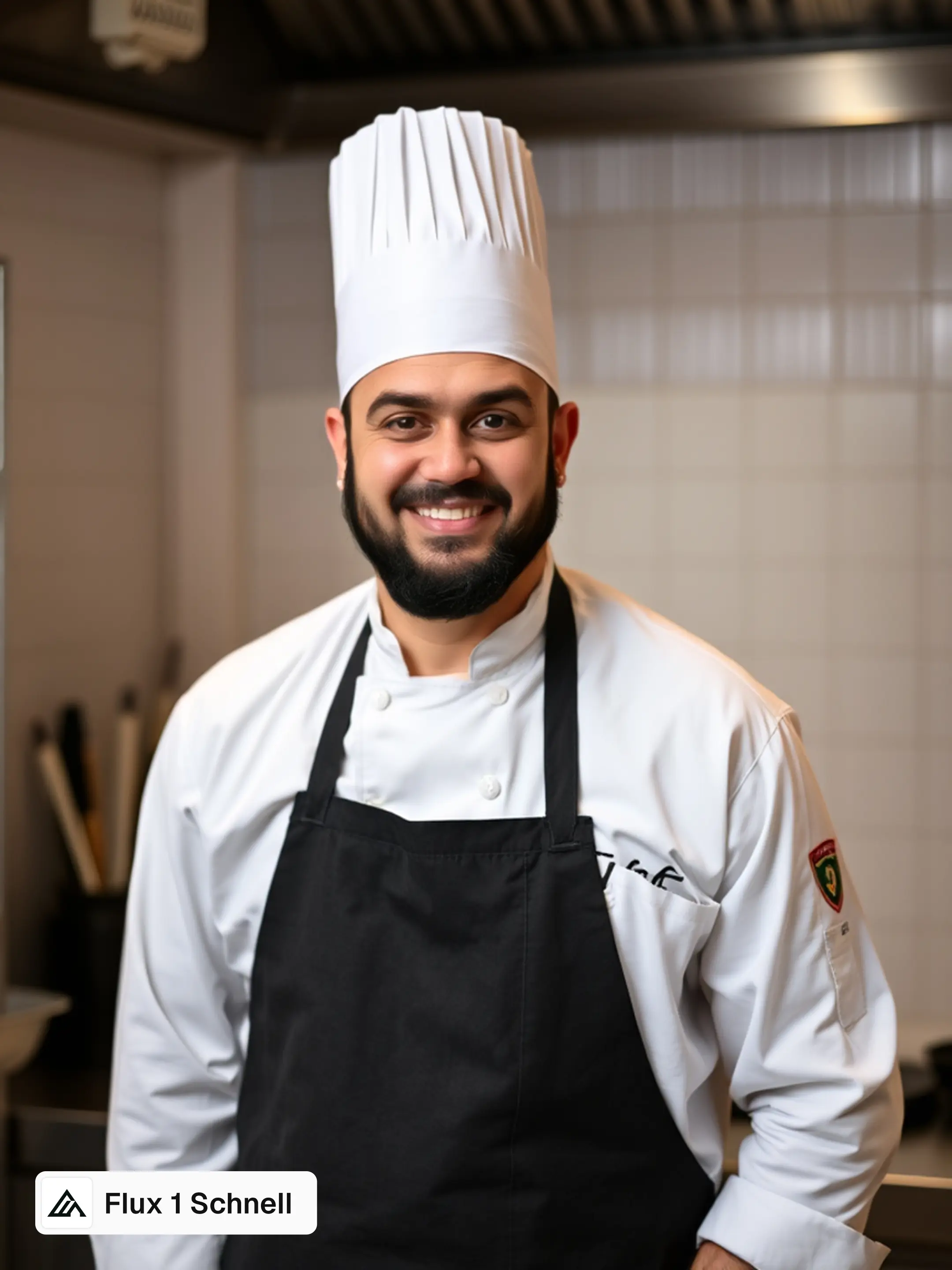
Flux 1 Schnell
PROMPT
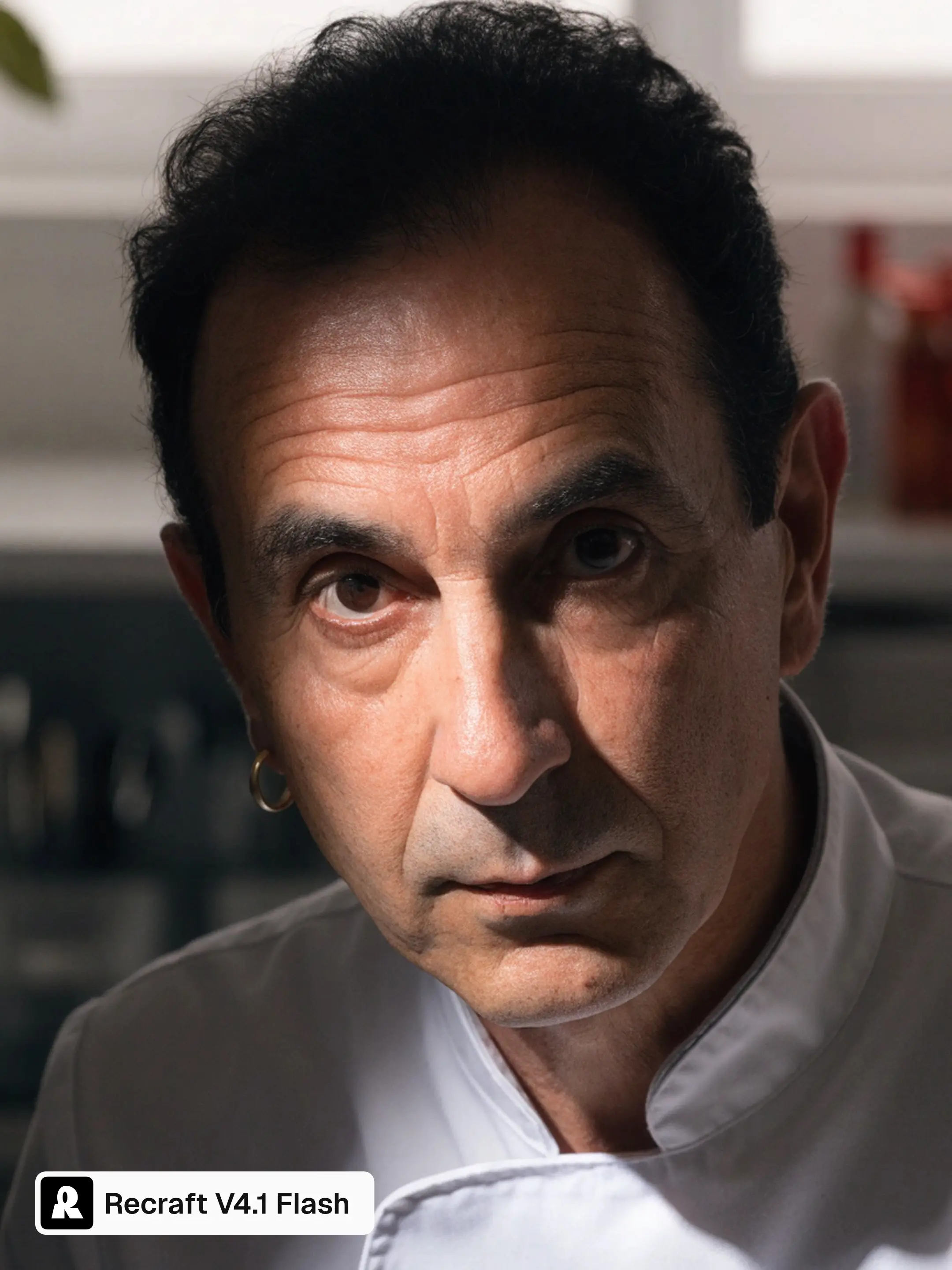
Portrait of a chef
Flux 1 Schnell returns a clean, evenly lit studio portrait. But it is also the chef you would license from a stock library: pressed whites, toque, centered.
Flash reads like a portrait someone was assigned to take, with uneven light and a face that has some weather in it.
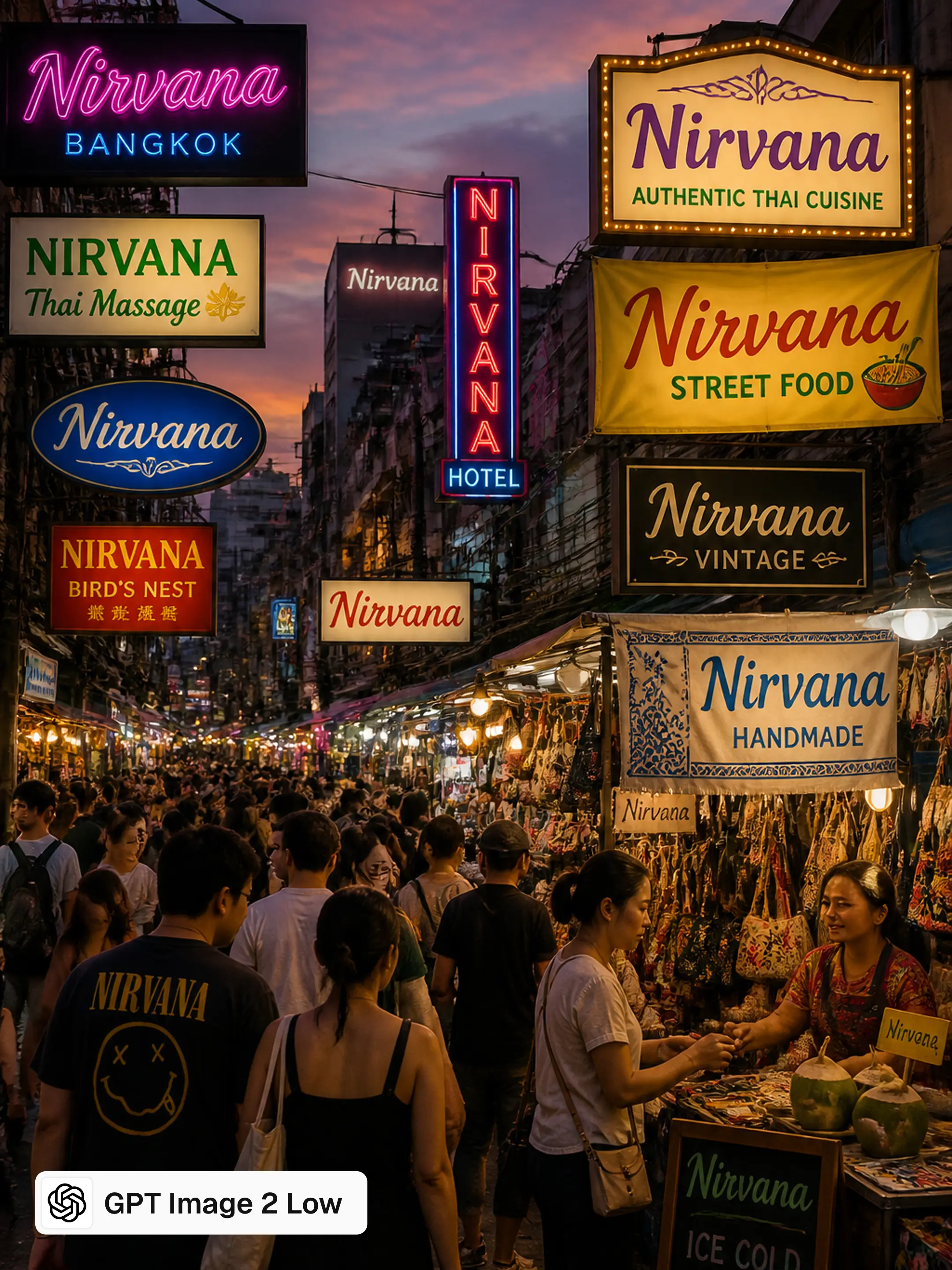
Recraft V4.1 Flash
GPT Image 2 Low
PROMPT
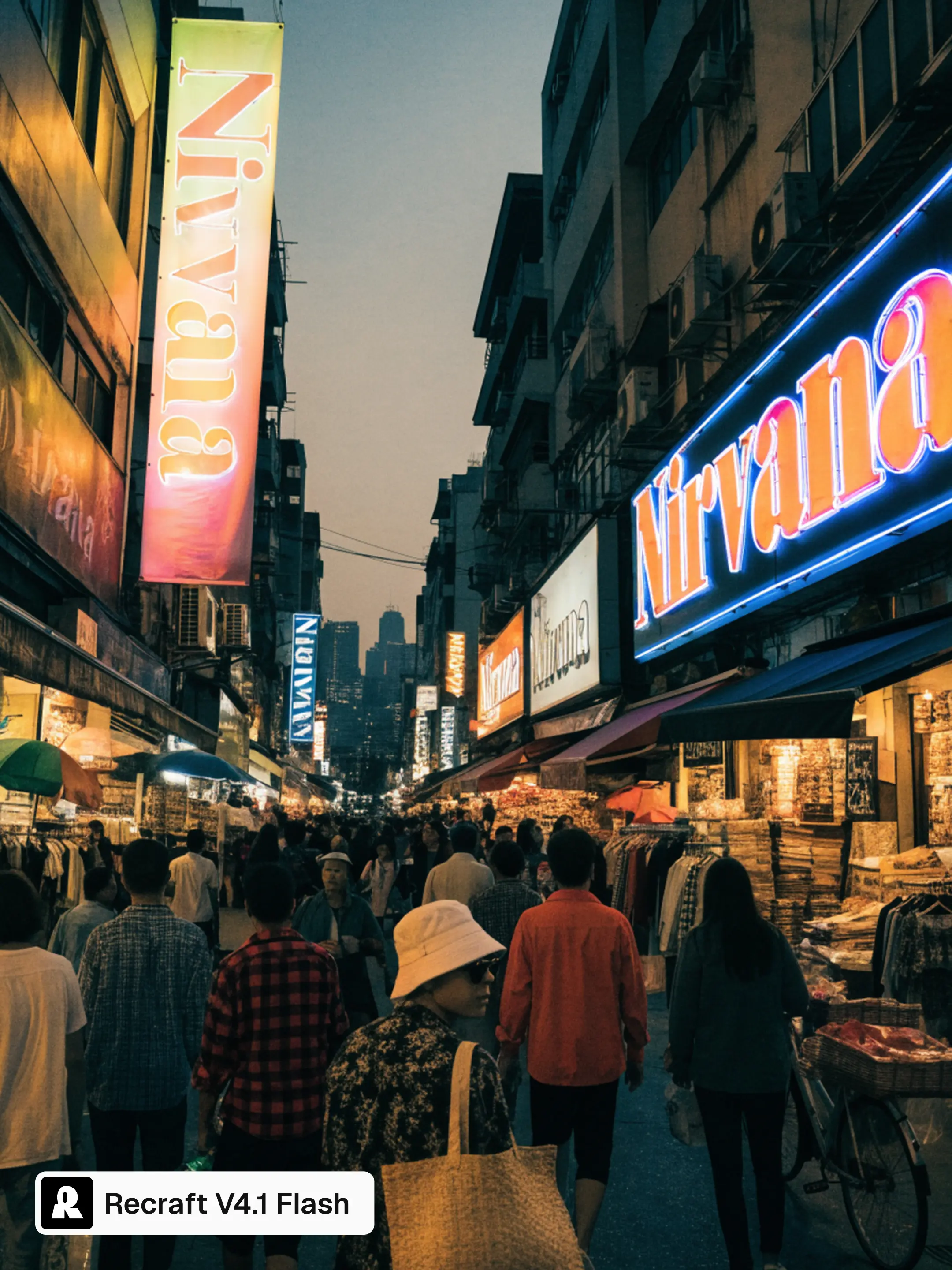
A crowded marketplace in Bangkok at dusk with illuminated shop signs and vendor banners all displaying the word 'Nirvana' in different fonts and colors.
Text accuracy is GPT's lane and it holds here. Every sign is legible with the word "Nirvana," which is important. But the signage stacks into a flat wall of type, and the result looks like a poster about a marketplace, making the image look truly "AI-generated" and not like a true photo.
Flash kept the dusk, the haze, and the depth of a crowd you are standing in.
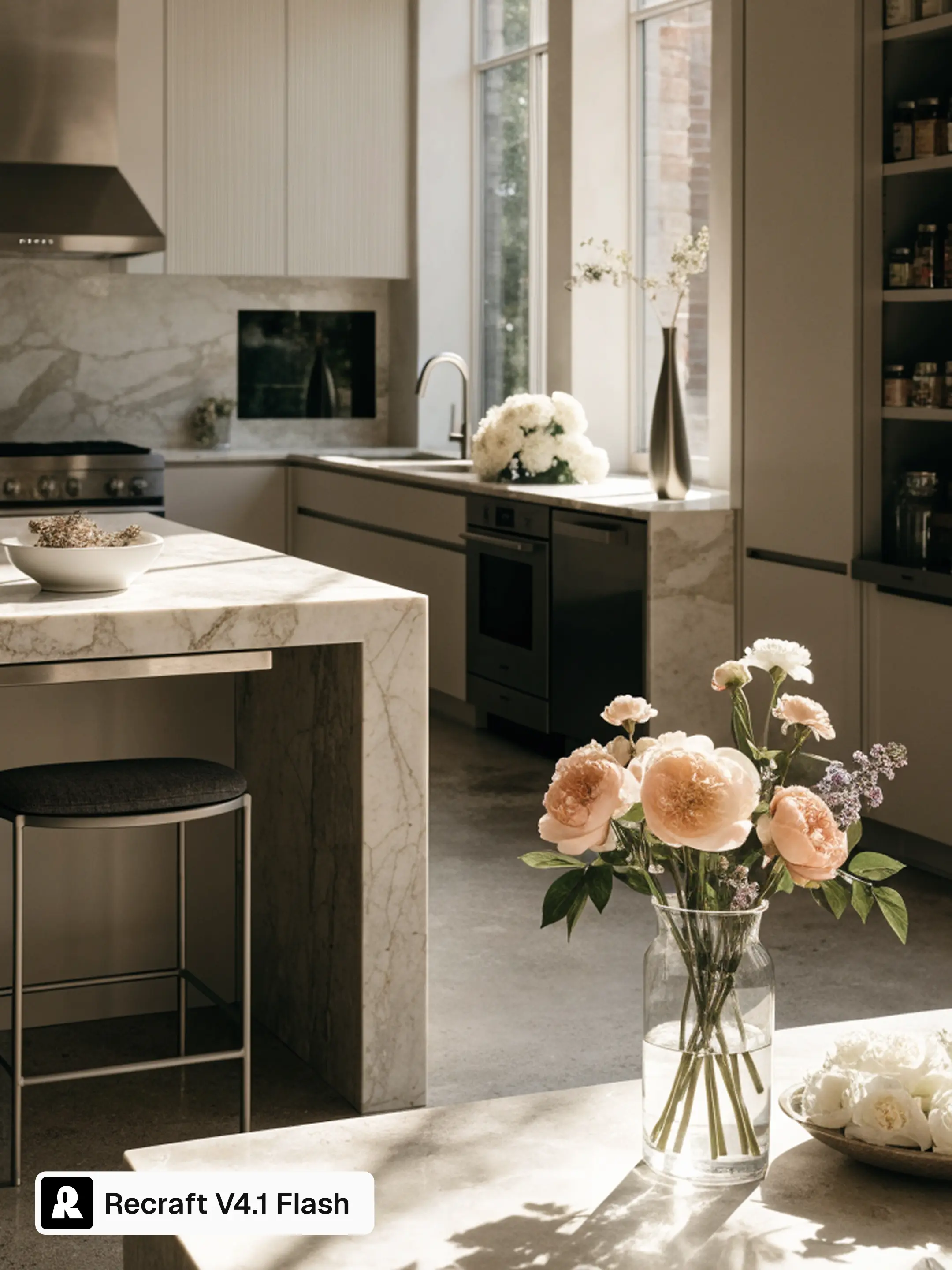
Recraft V4.1 Flash
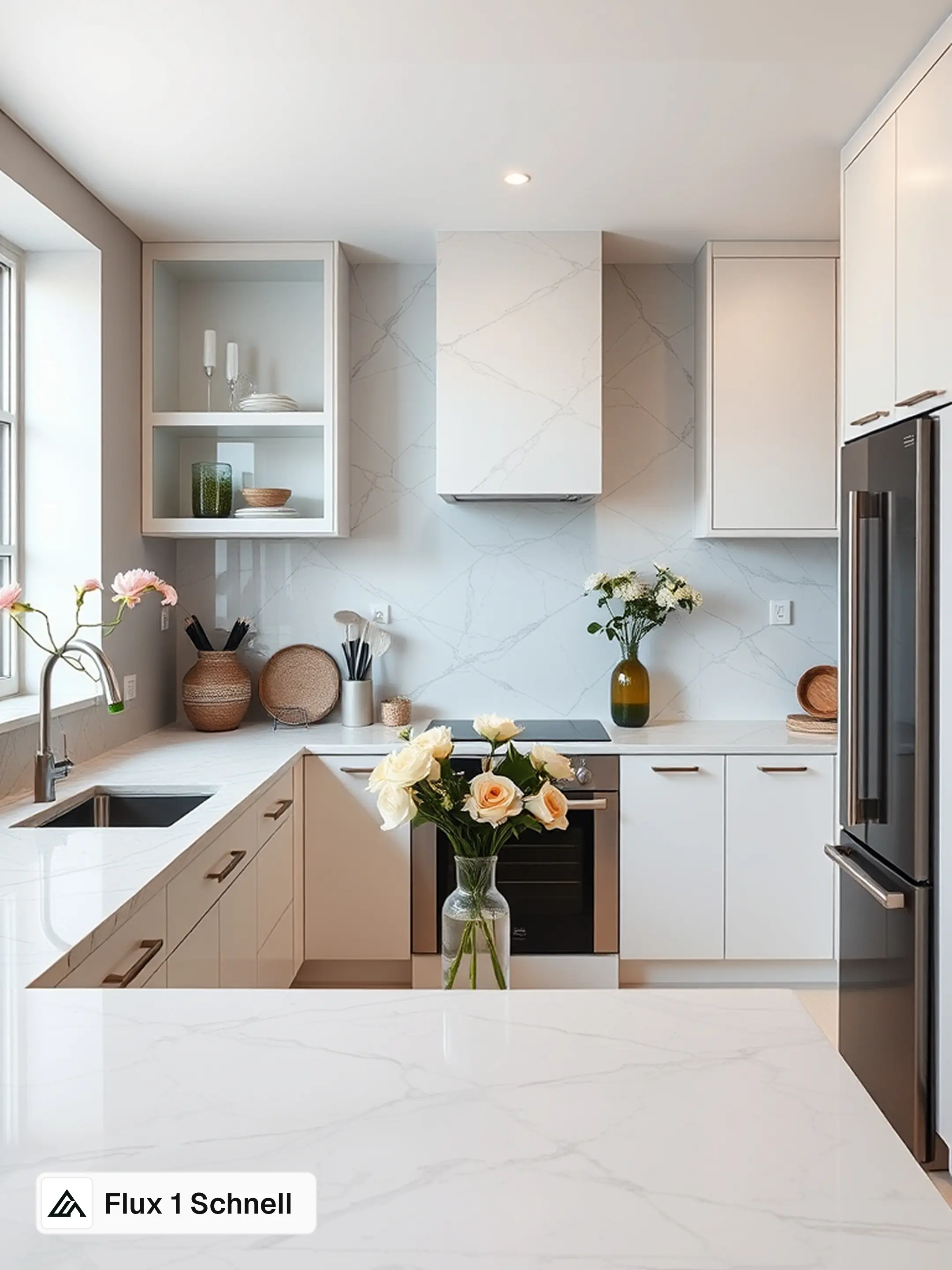
Flux 1 Schnell
PROMPT
magazine cover photo of a sophisticated kitchen space, a contemporary home with marble surfaces, sleek appliances, professionally arranged, featuring an elegant neutral palette, with several fresh flowers, bright window light, a truly stunning photograph
Flux 1 Schnell over-polishes until physics gives out. A flower grows out of the faucet and the vase floats above the table, as if held by magic.
Flash left the surfaces a little imperfect, which is what makes it read as a photograph.
Recraft V4.1 Flash
Flux 2 Klein
PROMPT
burger advertisement
Flux 2 Klein makes the more saturated, more appetizing burger. Then the headline dissolves into letters that are not words at all.
Flash placed large type confidently over the darker part of the frame, which is the actual craft decision in an ad layout.
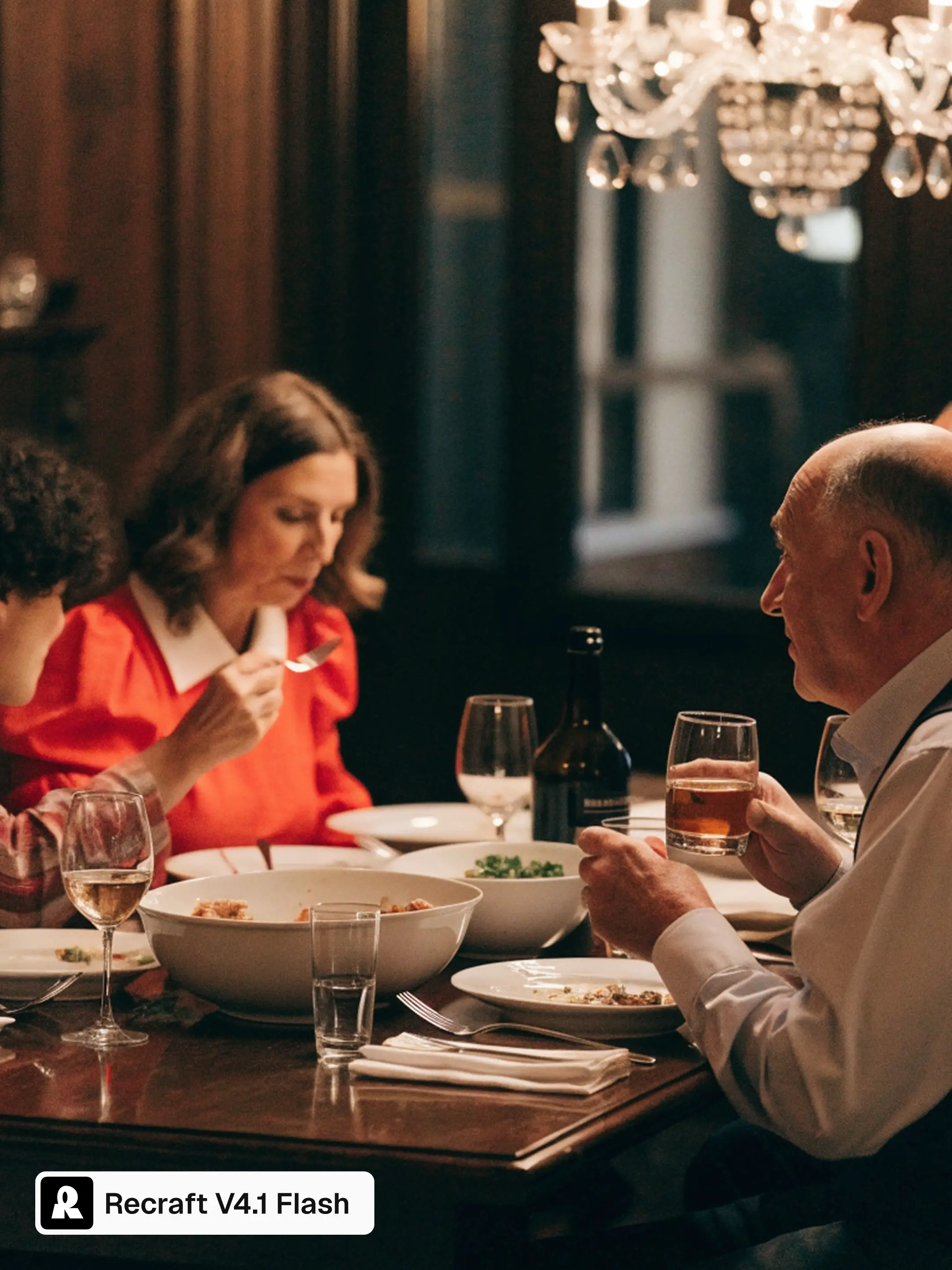
Recraft V4.1 Flash
Flux 2 Klein
PROMPT
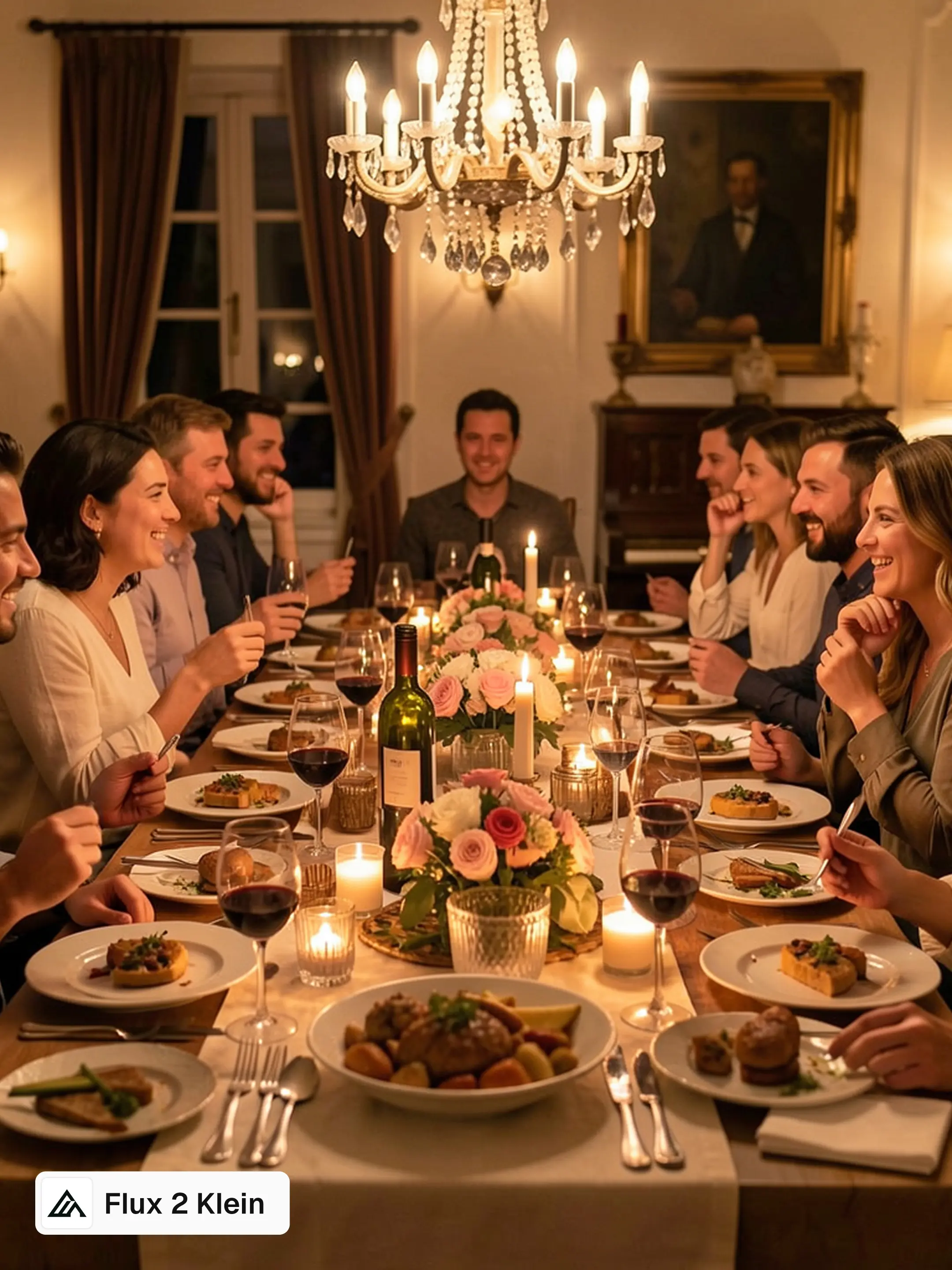
intimate dinner party
Flux 2 Klein builds a warm, golden banquet, and it is a lovely image. It is also a party for twelve.
"Intimate" is the word doing the work in that brief, and Flash read it, closing the composition down to two people and the light between them.
Refine, when a direction is right
Recraft V4.1 Flash
Recraft V4.1 Flash Refined
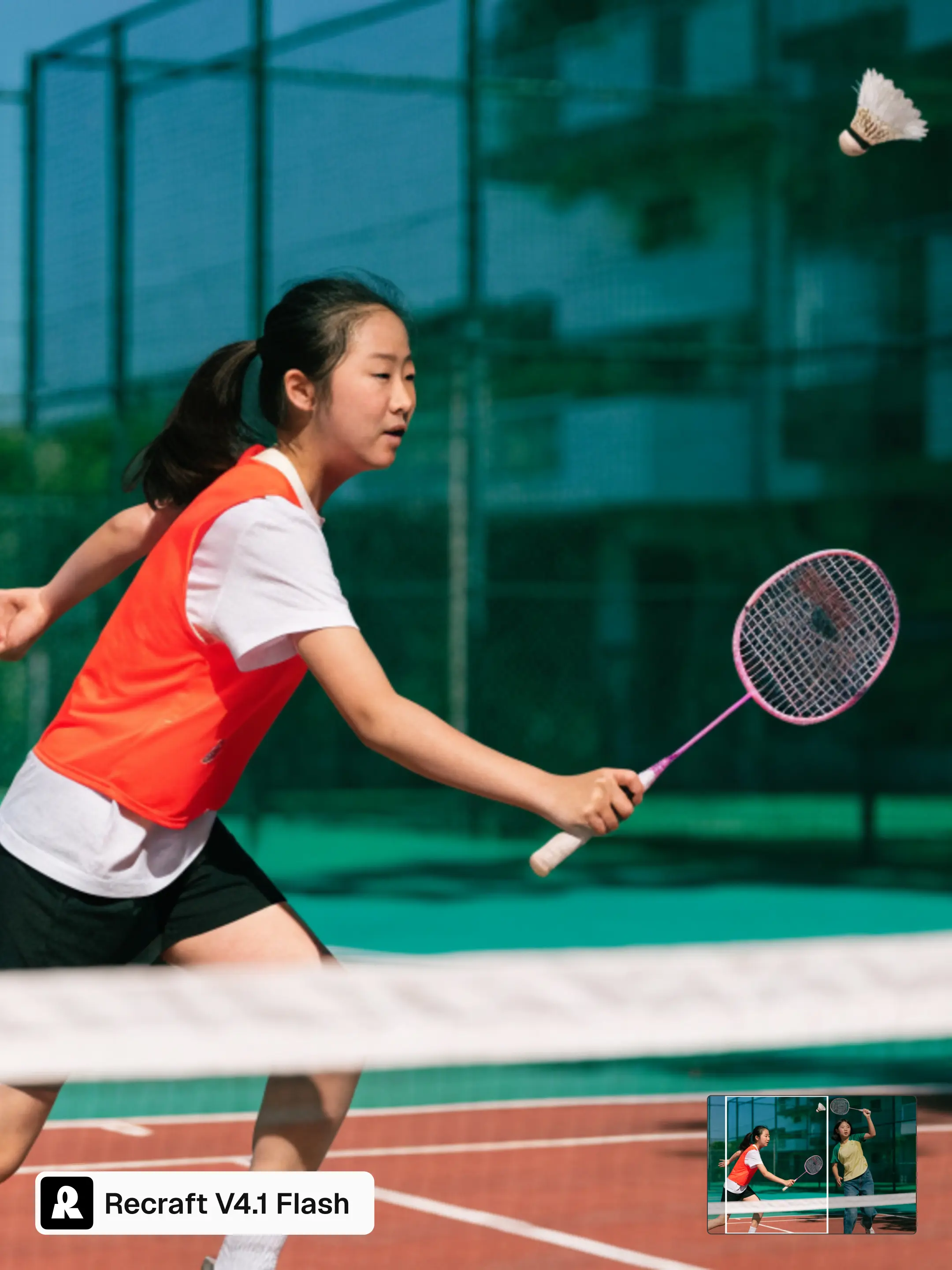
When an image is headed for publication, the newly added Refine button regenerates it with Recraft V4.1 Pro, our highest-quality model, at 2048×2048. It cleans up small imperfections so the image holds up at a larger format, keeping the same composition, same light, same decisions you already made. Not a new interpretation of your prompt, just cleaned up.
Recraft V4.1 Flash
Recraft V4.1 Flash Refined
Refine has two levels. Subtle clears up noise and contrast and stays close to the original. Moderate, the default, rebuilds small details more actively while holding your layout intact. Both work on details from the first generation.
Side-by-side speed comparison
We measured every model the same way: same prompts, same settings, from the moment the request is sent to the moment the image comes back.
The table shows median and 95th percentile times. The median is the typical request. The 95th percentile is the number that covers almost every request rather than a lucky one, and it matters a lot in practice: what breaks a workflow is the occasional request that takes much longer.
Flash is the fastest model here: it leads on both, and pulls clearly ahead at the 95th percentile.
Model
p50, seconds
p95, seconds
Recraft V4.1 Flash
1.4
1.8
FLUX.2 klein 9B
1.4
2.1
Z-Image-Turbo
1.8
2.3
FLUX.1 schnell
1.6
3.6
Nano Banana 2 Lite
4.1
5.8
P-Image
3.9
6.2
P-Image-Ideogram, very low
4.9
6.8
P-Image-Ideogram, medium
6.0
7.3
P-Image-Ideogram, low
5.1
9.0
P-Image-Ideogram, very low + enhance
6.9
10.1
Grok Imagine Image
7.7
10.5
P-Image-Ideogram, medium + enhance
8.1
10.7
P-Image-Ideogram, low + enhance
7.3
10.8
Ideogram 3.0
10.7
13.0
Krea 2 Medium Turbo
14.4
18.8
FLUX.2 flash
2.3
20.1
GPT Image 2, quality=low
16.2
26.4
FLUX.2 turbo
3.2
35.6
Nano Banana Pro
23.3
41.2
Ideogram v4 Instant
10.2
62.8
Ideogram v4 Fast
10.8
63.5
Seedream 5.0 Lite
43.7
85.1
Grok Imagine Image 2.0
69.9
97.8
How we measured
Every model ran the same set of 100 prompts, one run each, from US, Kansas. The prompts covered marketing and ads, branding and packaging, UI and information design, photography, illustration, game and concept art, and fine art styles, across a range of aspect ratios and resolutions, with prompts ranging from 2 to 217 words.
A technical note on default settings: we are leaving the model as it comes on the inference providers. Default settings in most cases include a prompt enhancer, without which generation doesn't hold the quality. We didn't disable this setting, so it is on by default in the models where the provider decided it is necessary. Where a model offers the enhancer as a setting, we measured it both ways. Published figures often leave this step out, which is why they look faster.
Most of these models are not sold directly by the labs that built them, so there is no single canonical number to quote. Recraft models were measured through the Recraft API. FLUX.2 flash, FLUX.2 turbo, Ideogram v4 Instant and Ideogram v4 Fast were measured through fal, and every other model through Runware. Results reflect each provider's performance on the test date.
Download time is excluded, so real time to a visible image is roughly 100ms higher across the board.
Measured on 21 September 2026 by the Recraft team.
Separately, the 1.3 seconds we quote for Flash is its median generation time, measured on a larger prompt set.
Try it
Flash is live in Recraft Studio. Pick it from the model picker and start exploring. Using the API? Read our docs to learn how to work with it.
Flash goes from prompt to image in about 1.3 seconds with the API. It is the fastest model Recraft has shipped, fast enough that you can react to each image and try again without losing the idea you were working on.
Is Flash a separate model or a speed setting?
Flash is a separate model, not a mode. You select it from the model picker in Recraft Studio. It returns finished images rather than rough drafts, across photography, portraits, complex scenes, and early concepts.
What does Refine do, and which level should I use?
Refine cleans up small imperfections so an image holds up at a larger format. It keeps your composition, lighting, and layout as they are. Subtle clears noise and contrast and stays close to the original. Moderate, the default, rebuilds small details more actively while keeping your layout intact.
.svg)

.webp)
.webp)
.webp)
.webp)
.webp)
.webp)
.webp)
.webp)